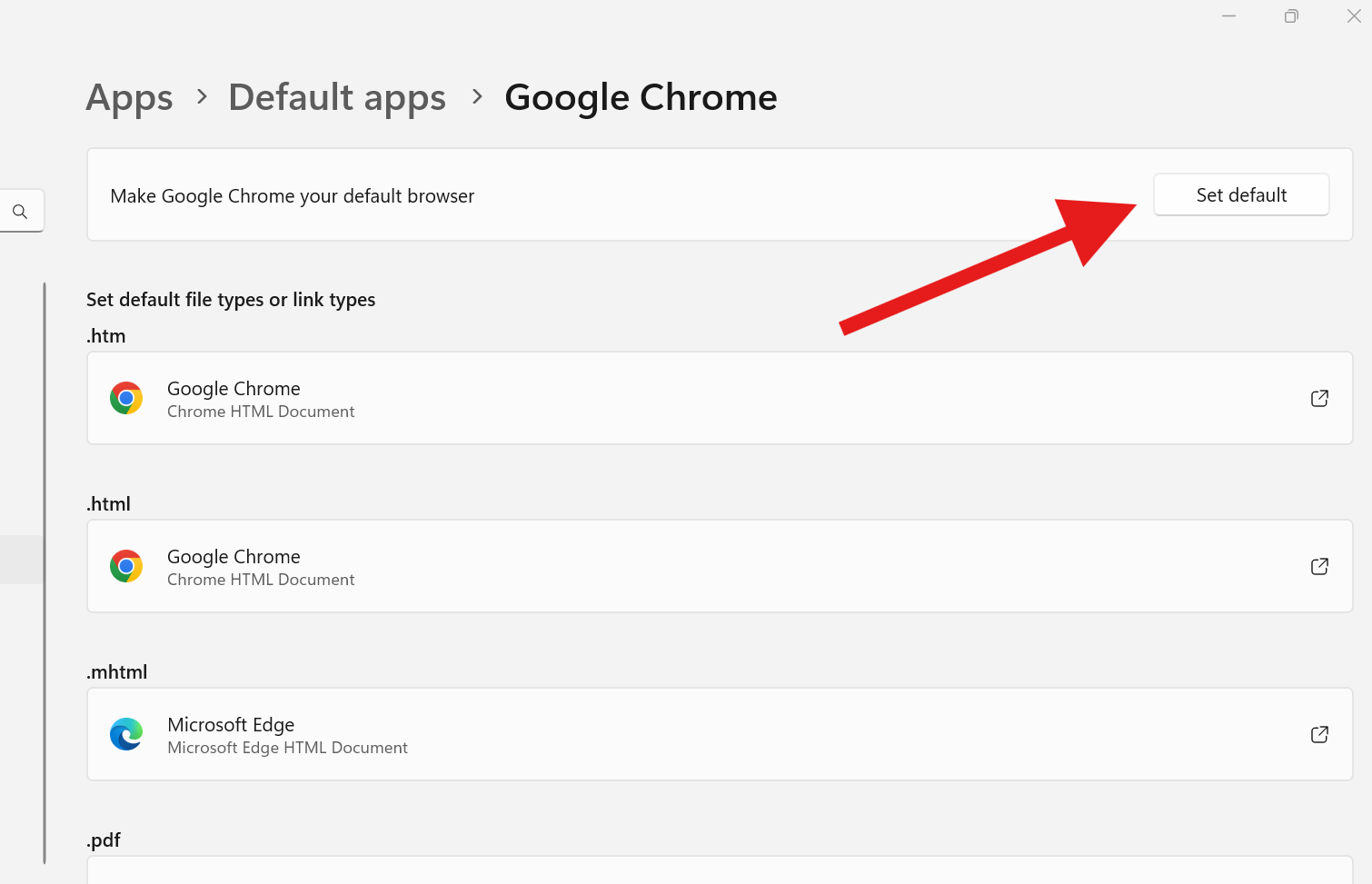
To Set Google Chrome as your default web browser:
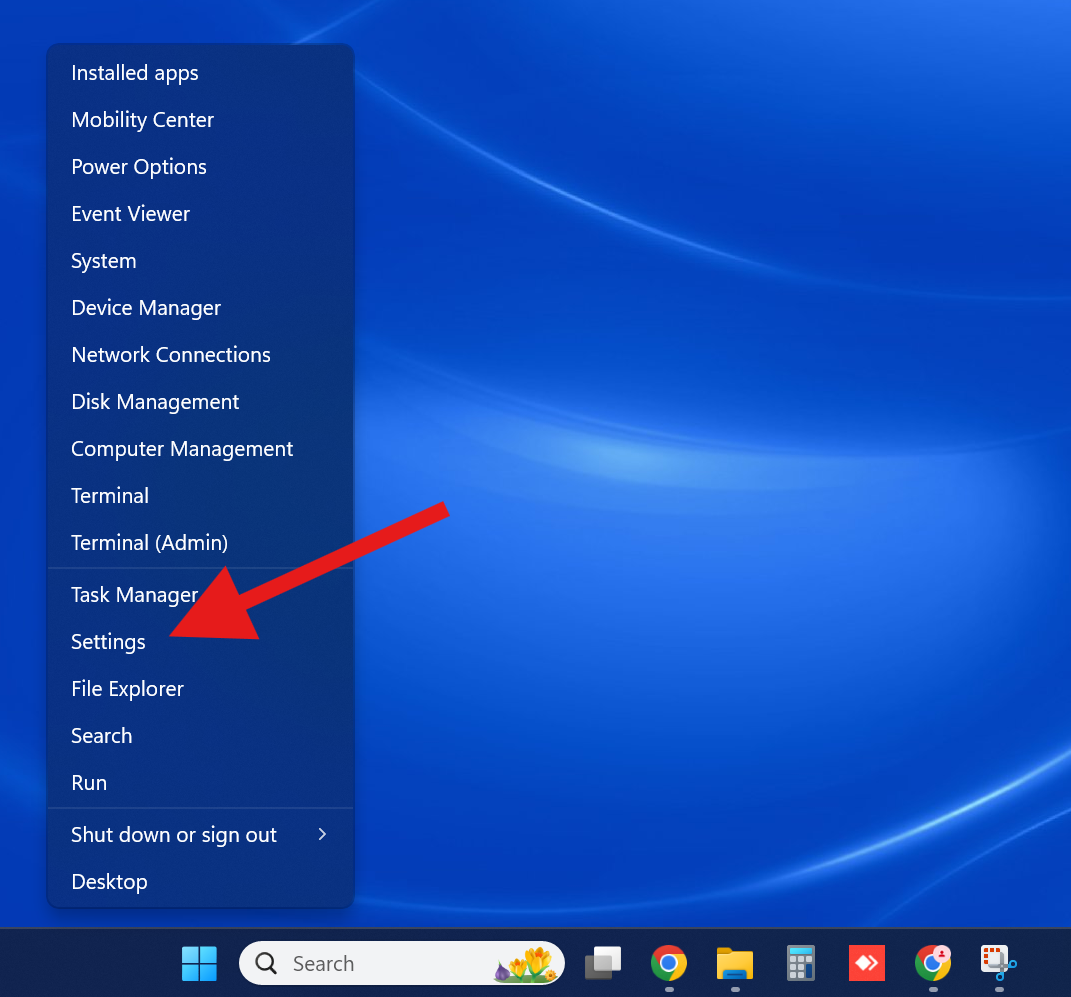
1. Right-click the Windows button on the taskbar and choose “Settings” from menu.
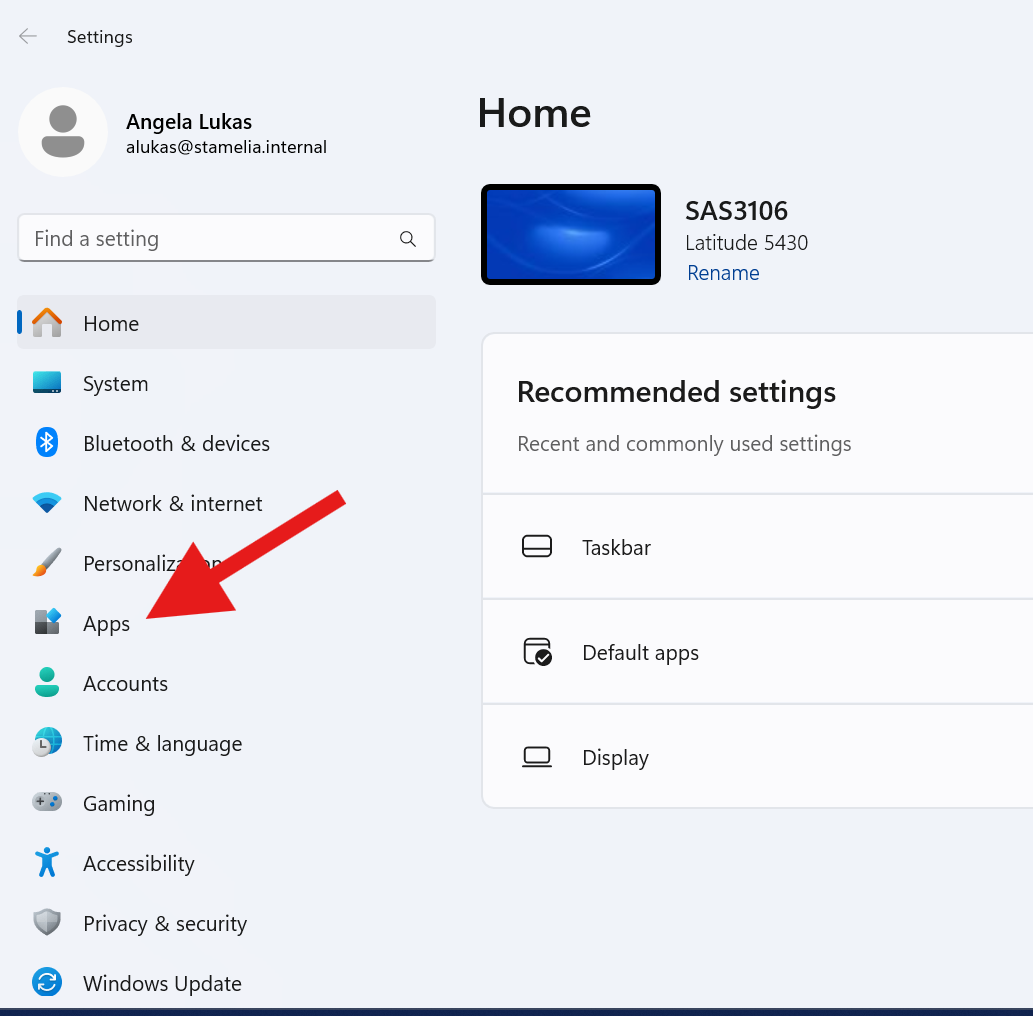
2. Click where it says “Apps”
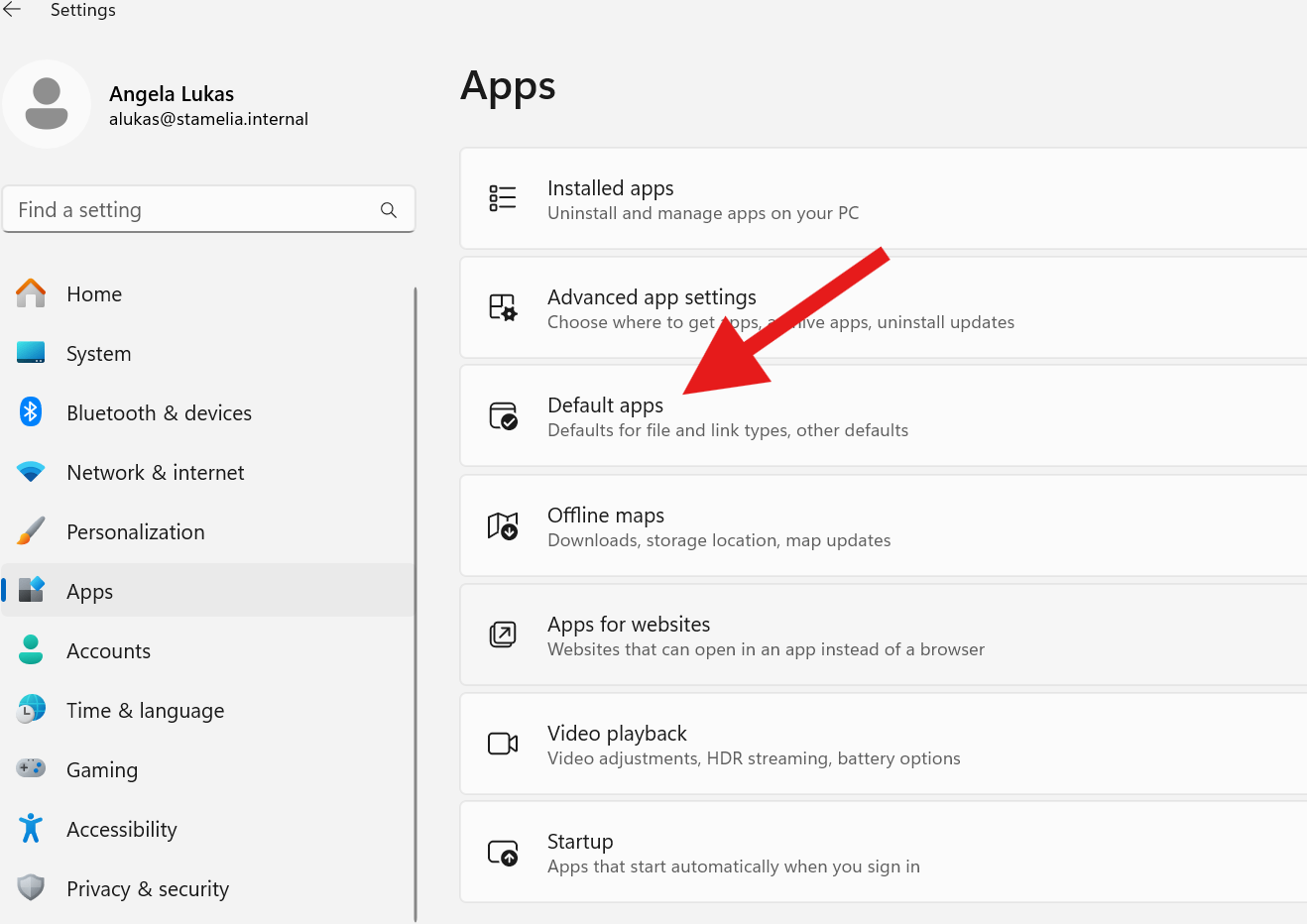
3. Click “Default apps”
4. Scroll down to where it says “Google Chrome” and click on it
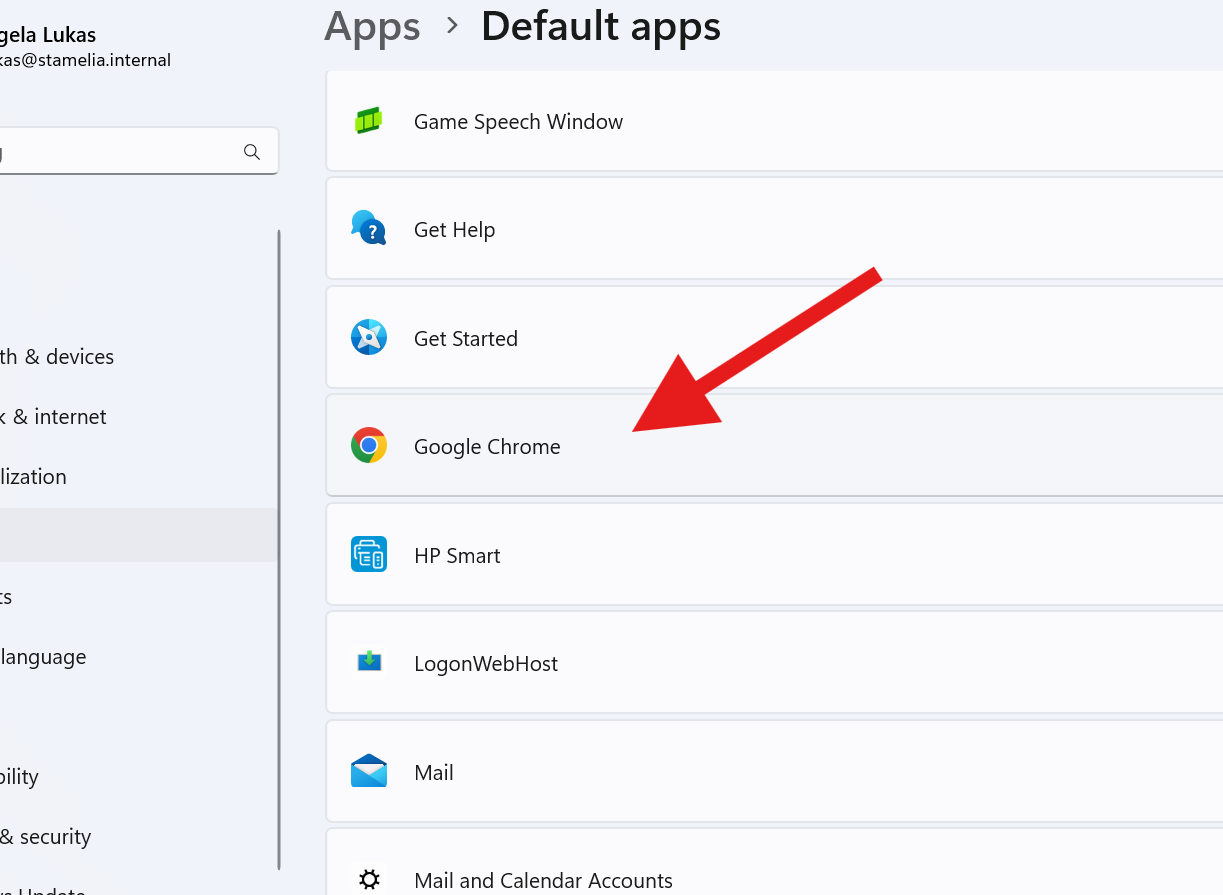
5. Click “Set Default” button in upper right corner