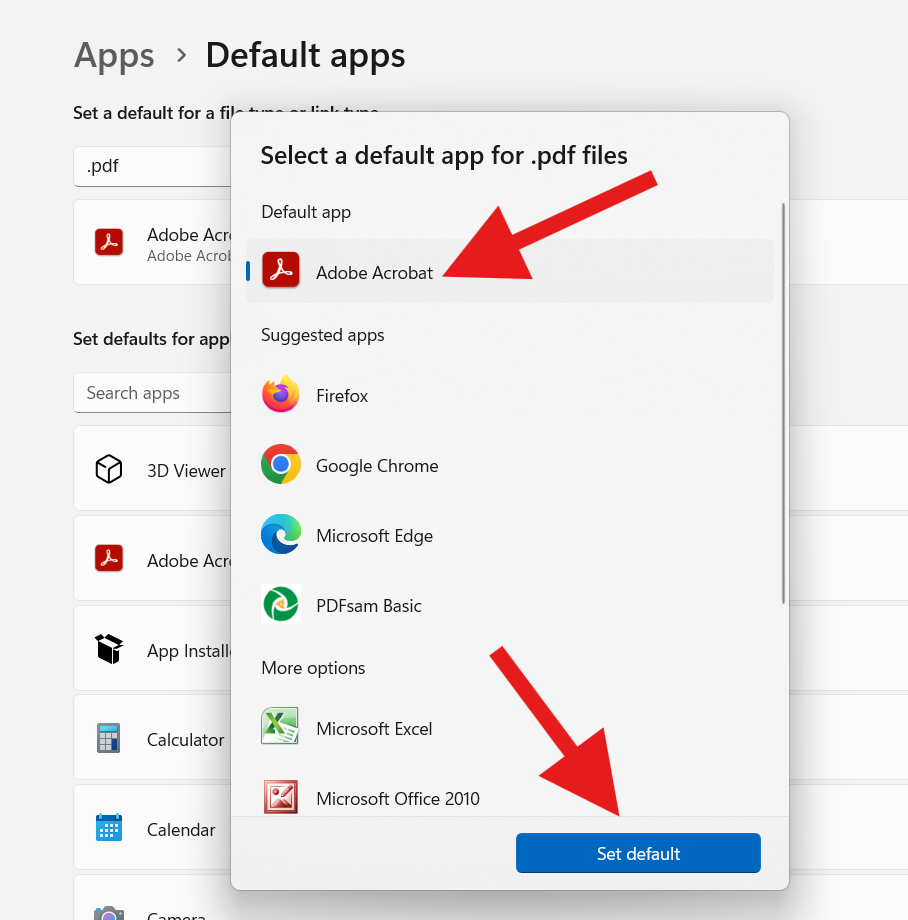
To Set Adobe Reader as your default:
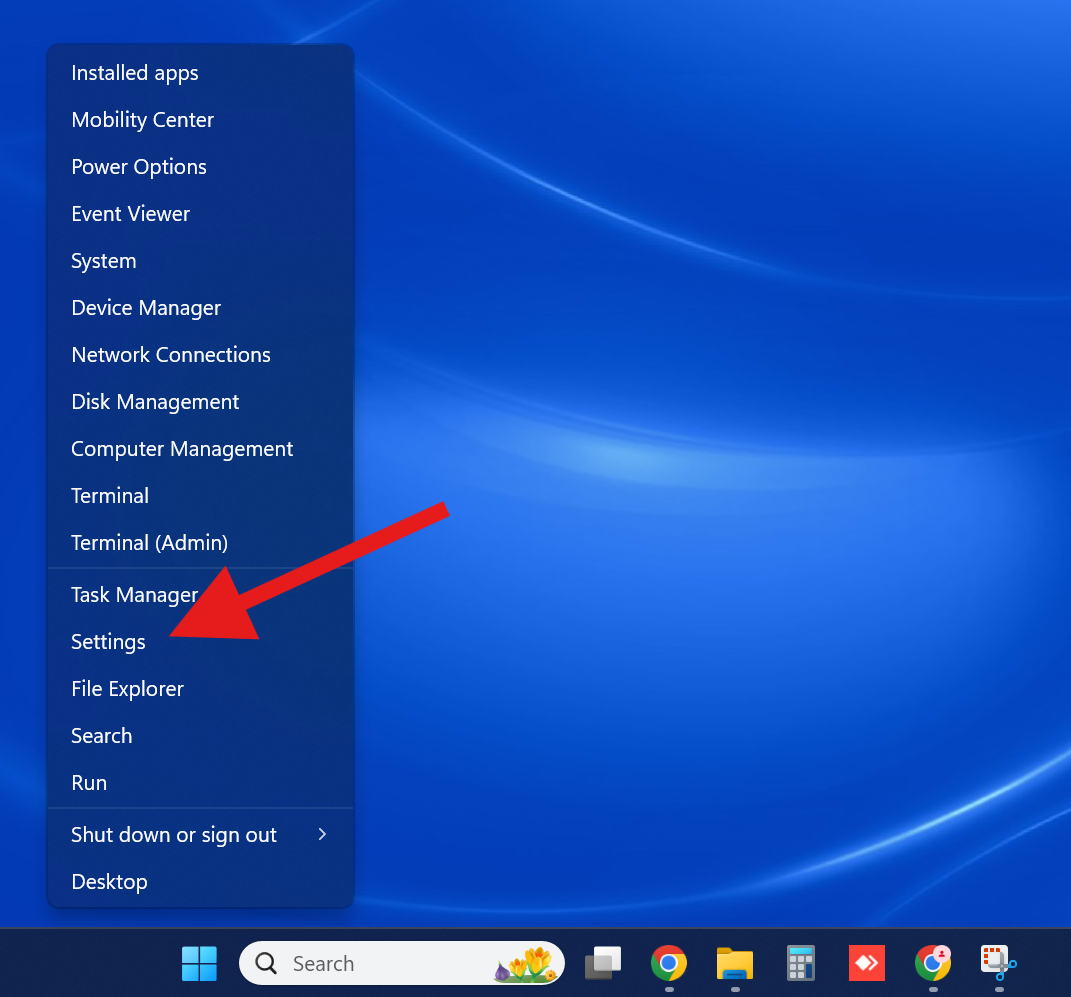
1. Right-click the Windows button on the taskbar and choose “Settings” from menu.
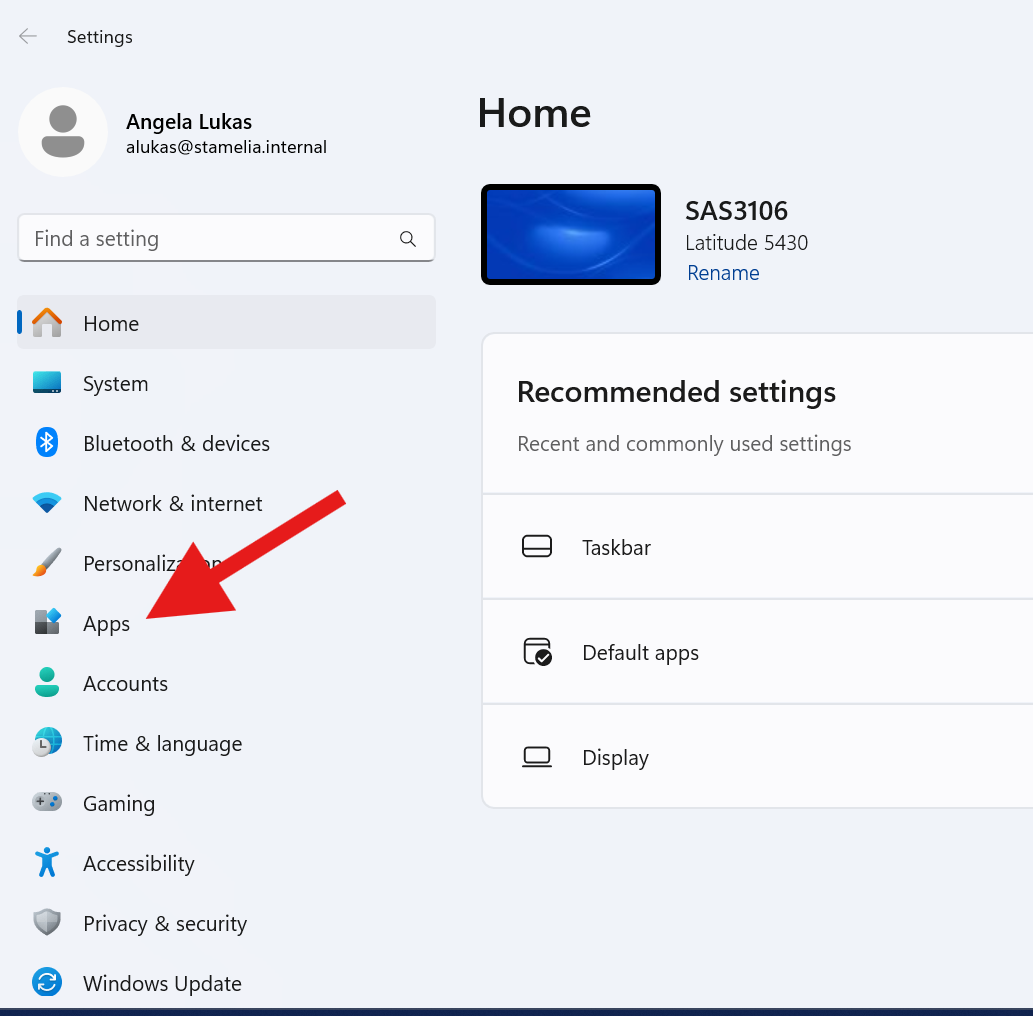
2. Click where it says “Apps”
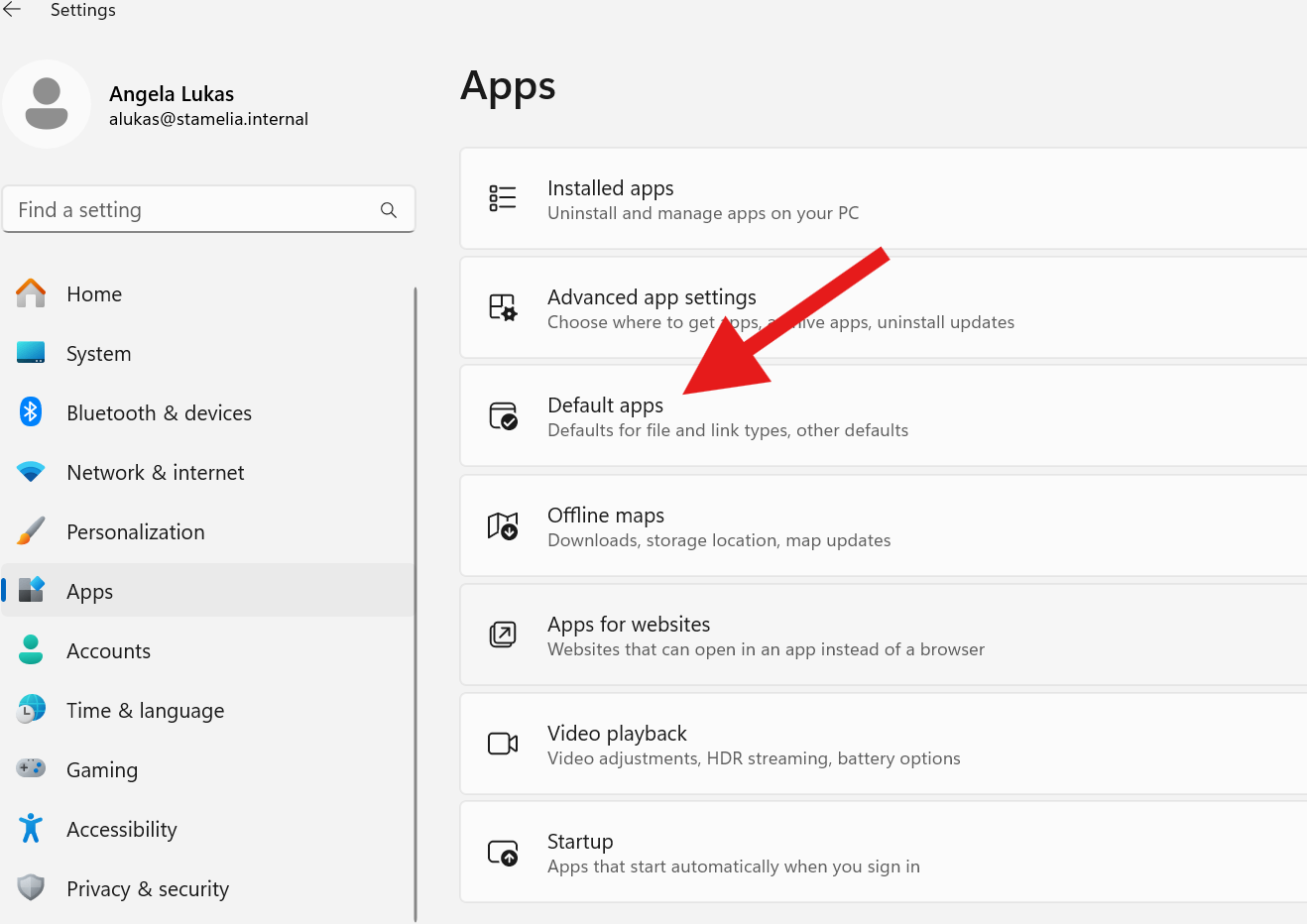
3. Click “Default apps”
4. Type pdf into box at top and choose from suggestions
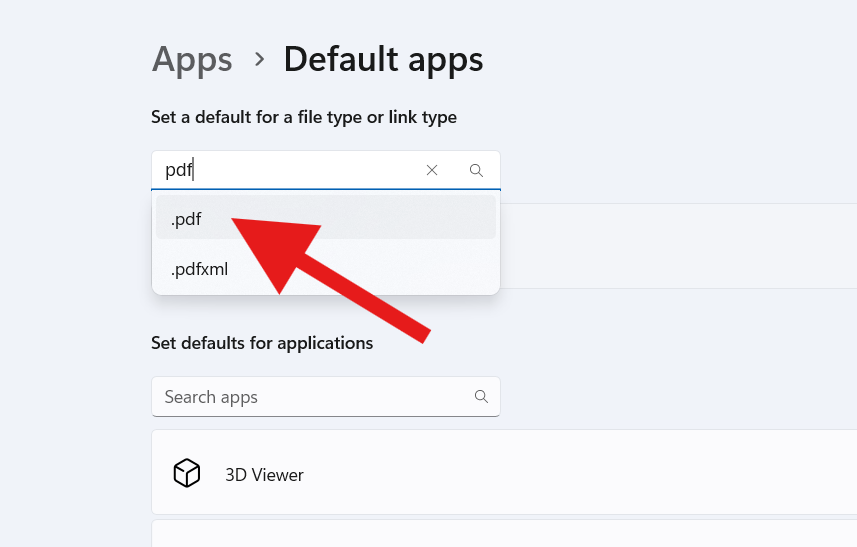
5. Click the name of the app directly under the search box. This may be Microsoft Edge, Adobe Acrobat, Firefox, or Google Chrome depending on your current settings.
Choose “Adobe Acrobat” from the suggested apps and click the “Set Default” button.