
If you can't find any of your bookmarks, or your bookmarks toolbar seems to be missing follow these steps to fix:
Make sure you are signed into your chrome browser. In the top left corner there is a circle that will look like this if you aren't signed in: 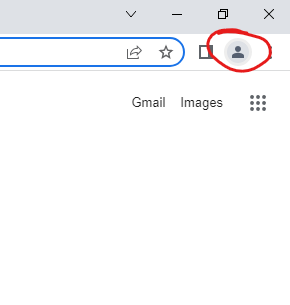 If you see the above, or if you see "paused" next to the circle; click on the portrait and click "turn on sync" and then sign into your google account. This will sync with your previously saved bookmarks and import the "SAS bookmarks" folder.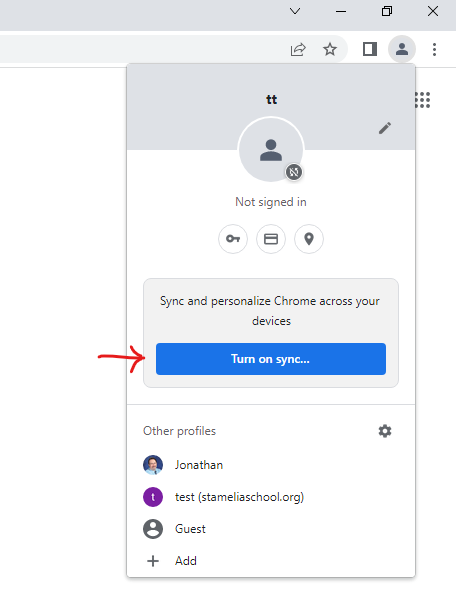
"I still don't see my bookmarks folder." If you have signed in and turned on sync but your book marks folder still isn't appearing do the following:
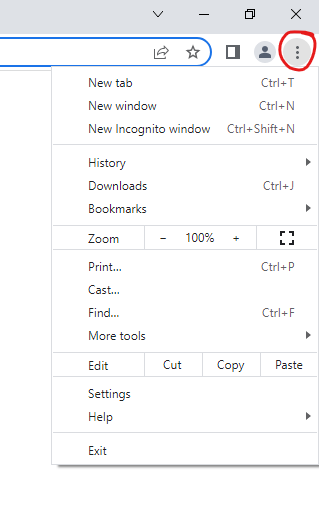
- Click the 3 dots next to the account portrait
- Click bookmarks
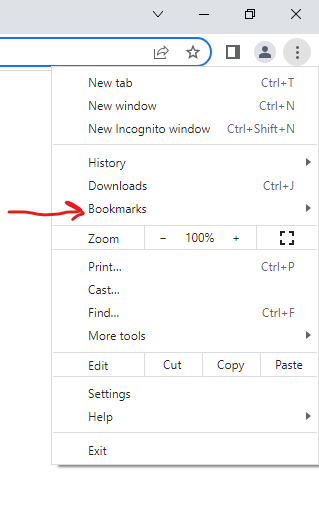
- Click "Show bookmarks bar"
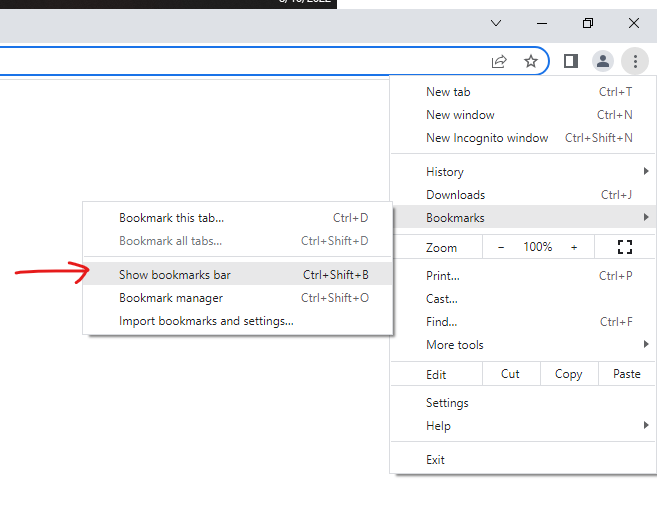
These steps should cause the bookmarks bar to appear under the browser controls
